The sample size is the number of units actually inspected. This information is required for the GainSeeker Defect Management System to calculate statistics like parts per million, p-bar and Sigma values.
If the standard you selected has been configured with a default sample size - for example, if you typically inspect the same number of units - then this number is automatically entered as the Sample size. If this matches the sample you have inspected, then the sample size has already been entered and you can proceed to Entering defects. Otherwise, use one of the following methods to enter the sample size:
If you have already counted the number of units being inspected, click in the Sample size box and type the number. Click here for an example:Click here for an example:
You are inspecting a batch of 27 orders that were billed by employee number 3102 on Shift 2 of the previous day. After entering yesterday's date and the traceability values for this batch of orders billed, you would enter a Sample size of 27 before proceeding to enter the defects for those orders.
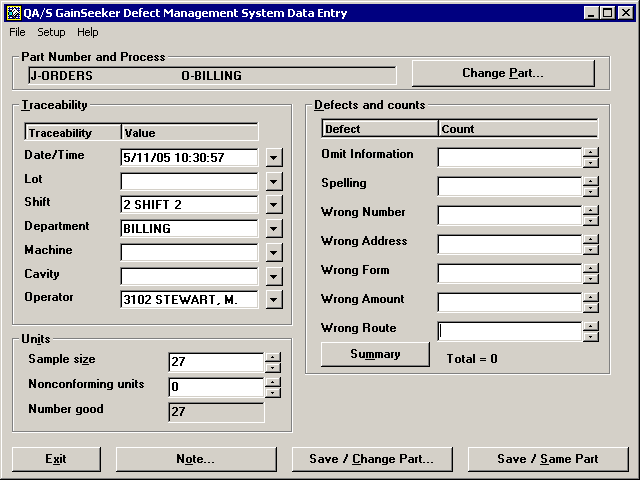
If you count the units as you inspect them, you can click the
button to increase the sample size by 1 each time you inspect another unit, then enter the defects for that unit. Click here for an example:Click here for an example:
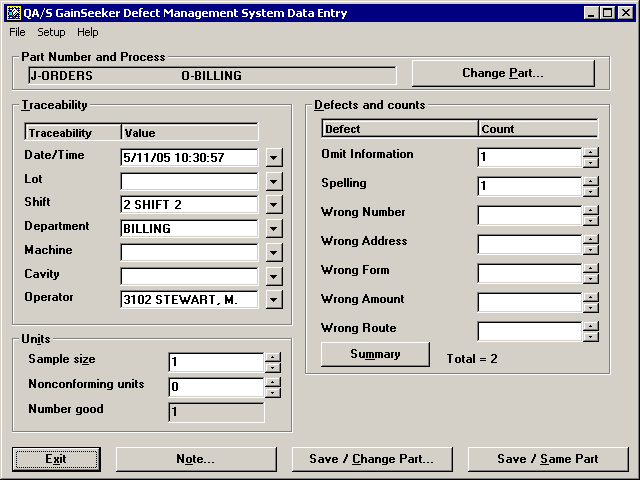
Each day you review a stack of orders that were billed by employee number 3102 on Shift 2 of the previous day. The number of orders can differ from one day to the next.
After entering yesterday's date and the traceability values for this batch of orders billed, you review the first order in the stack. You click the
button to increase the sample size from 0 to 1, and you enter any defects on this order.
You then review the second order, click the
button to increase the sample size from 1 to 2, and enter any defects on this order. You continue to repeat this process until you have reviewed all the orders in the stack.

More: