Changing Statistics Lists
A Statistics List displays statistic labels you select in the left column and the corresponding statistic in the right column.
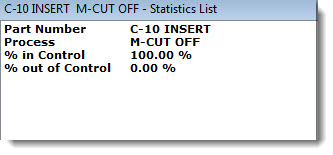
Changing the Statistics List report
To change the report while you are creating a new statistics List:
-
Navigate to Statistics list report name following this path on the Settings tab:
Chart overrides | Charts | Default reports | Statistics list report name
-
Then, double-click Statistics list report name = .
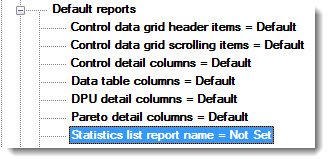
The Statistics list report name dialog opens. See Using statistics list dialogs for more information.
To change the report on an existing statistics List:
- Right-click on an existing statistics list to open the right-click menu. Then, select Statistics Report... on the menu.
The Statistics list report name dialog opens. See Using statistics list dialogs or more information.