About the Inspection Unique ID
A Unique ID is a unique identifier used to differentiate different sessions of an inspection. An example of a Unique ID is a serial number that is assigned to individual products that are the same make and model.
In GainSeeker, the Unique ID is used to create a unique record for a specific item and the data and information that is uniquely associated with it.
This image shows the page in PC Collect in which the Unique ID has been relabeled "Serial number".
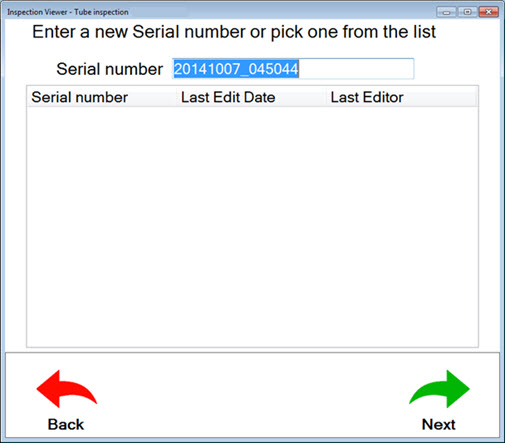
Selecting a Unique ID
New Unique ID:
Depending on the settings, the New Unique ID field displays either:
The most recently used Unique ID. This can be useful for inspections that crossover into other work shifts or take place over a period of time. For example, a vehicle may undergo multiple sub-inspections in different departments. See Setting the IDReuse property for the inspection.
The current date and time of the inspection using the time clock associated with that PC or the mobile device. Use the Sorted By Date/Time button on the page to sort the existing inspection list by Unique ID. Tap it toggle the button back to Sorted By Date/Time.
Choose Existing Unique ID:
The Choose Existing Unique ID: field displays a list of existing Unique IDs that have been fully or partially completed.
GS Collect only
If you select a Unique ID in this list and then tap Continue, you must choose one of the options: Resume, Restart Inspection, or Cancel.
Resume: The Resume option opens the Choose a Sub-Inspection for: ["inspection name"] page. The completion status of sub-inspections is displayed by button color.
Restart: The Restart option clears the completion status of sub-inspections. It does not overwrite previously submitted data.