Priority List Editor
The Priority List Editor in the GainSeeker Utility module lets you:
-
Add or remove items from a priority list
-
Duplicate a priority list for a new user
-
Delete a priority list for a user
-
View a printable priority list on a text editor
A priority list is a short list of standards, desktops, or traceabilities that is set for each category.
Accessing the Priority List Editor
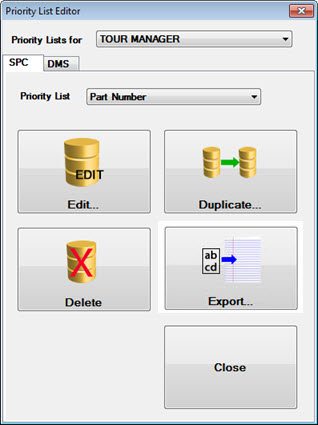
The Priority List Editor is accessible from the GainSeeker System Administration module by following this path:
-
GainSeeker System Administration | Users tab | "User name” | Priority Lists
-or-
- The Priority list Editor button on the GainSeeker Utility module:
Changing a priority list
Use the Edit... button on the Priority List Editor to add or remove SPC and DMS items such as part numbers to a priority list.
Viewing a printable priority list report
Use the Export... button on the Priority List Editor to export the contents of a priority list to a text file and view the printable file with a text editor such as Microsoft Notepad. This does not allow editing of a priority list.
Duplicating a priority list for another user
Use the Duplicate... button on the Priority List Editor to duplicate a priority list to another user. You can then edit the list for the new user using another Priority List Editor function.
Deleting a priority list
User the Delete... button on the Priority List Editor to delete a priority list for a user